
How to
Answer the shopper on your store, and hand over a filled cart
Shoppers leave with a question nobody answered: will it fit, is it in stock, when will it arrive. Put an ask-bar at the bottom of your Shopify store. It answers from your catalog and sends a checkout link with the right items already in the cart.
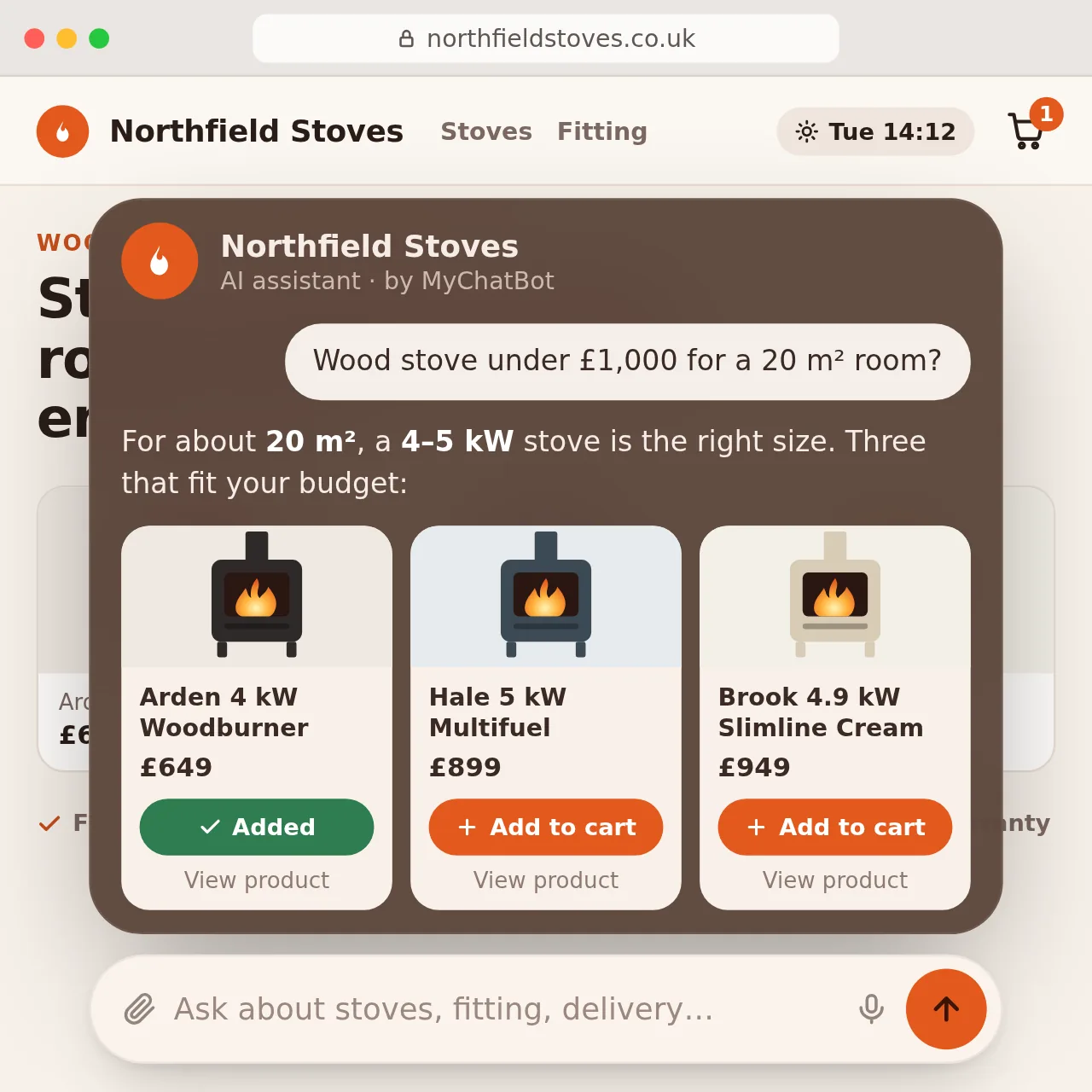
- Finds the right product
- Answers at 23:04
- Saves the contact
What it costs you today
A question with nobody to ask
Will it fit? Is it in stock? When will it arrive? No answer on the page, so the tab gets closed.
Search needs the exact name
Your store search finds “linen shirt”. It does not find “something light for a beach wedding”.
From answer to checkout is five clicks
Even after a good answer, the shopper still has to find the product, choose the variant and add it to the cart.
The recipe
Four steps with the building blocks you already have in MyChatBot.
- 1Knowledge
Connect your Shopify store
Paste your store address. Products, variants, prices and availability are read from your storefront. There is no app to install and no API keys.
- 2Channels
Create the Website assistant
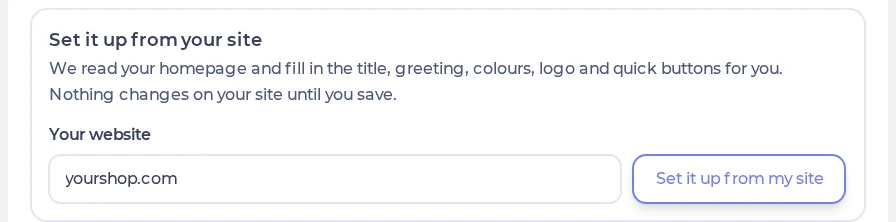
Enter your address, and “Set it up from my site” fills in your colours, logo, greeting and quick buttons. Check the preview and save.
- 3Channels
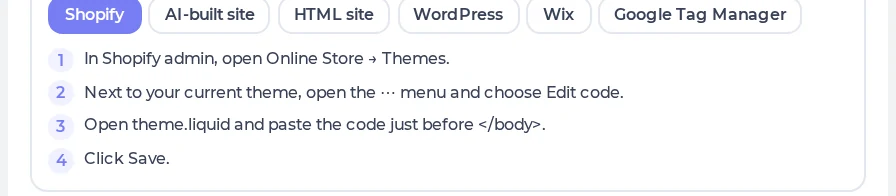
Add one line of code to your theme
Paste it into theme.liquid, just before </body>. It loads after your page and never changes your design.
- 4Test
Ask for a product, then say you want it
The assistant asks for the size or colour, checks the cart with your store and sends the checkout link. Open it and look at the cart.
What the customer sees
The assistant never picks a size for the shopper. It asks, then sends the link.
CustomerI need a light shirt for a beach wedding, under €80.
AssistantThe Riva linen shirt would suit: €69, in white, sand and sky blue. Which colour and size would you like?
CustomerSand, size L.
AssistantSand in L is in stock. Here is your checkout link, with the shirt already in the cart.
✓Checkout link sent · 1 item in the cart

 Or say it in ChatGPT or Claude
Connect my Shopify store yourstore.com to my assistant and run a test purchase in a private chat.
Questions owners ask
Does it slow my store down?
No. The code is about 17 KB and loads after your page. If it cannot load, nothing shows and your store works as before.
Where does the shopper pay?
In your own Shopify checkout, as usual. Orders that come through these links carry the referral code “mychatbot” in Shopify admin, so you can count them.
What if my site is not on Shopify?
The bar works on any site where you can add a line of code, such as WordPress or Wix. The checkout link with a filled cart is for Shopify stores. Elsewhere the assistant answers from your pages or product feed and can take the order in the chat.
Put an answer on every product page
Set-up is free. Connect your store, add one line of code and ask your own shop a question.