
How to
Take the order in the chat, while the customer is still there
A customer who has to leave the chat to order often does not come back. Let the assistant collect the items, the address and the payment in the same conversation.
Blue, size M. Berlin, Torstraße 12. Card.
Done. Your order is created, here is the payment link.
What it costs you today
Orders stall on “I’ll send you the link”
Every extra step between “I want it” and a confirmed order loses buyers.
Details arrive in five messages
Size in one message, address in another, phone number an hour later. Someone has to piece them together.
Nobody is online at 23:00
The customer is ready to buy. The order waits until morning, or goes elsewhere.
The recipe
Four steps with the building blocks you already have in MyChatBot.
- 1Knowledge
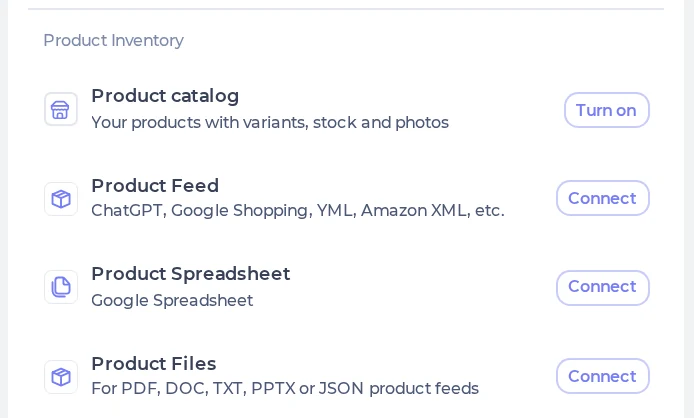
Load what you sell
Connect a product feed, a spreadsheet or your Shopify store, so the assistant quotes real prices and stock.
- 2Integrations
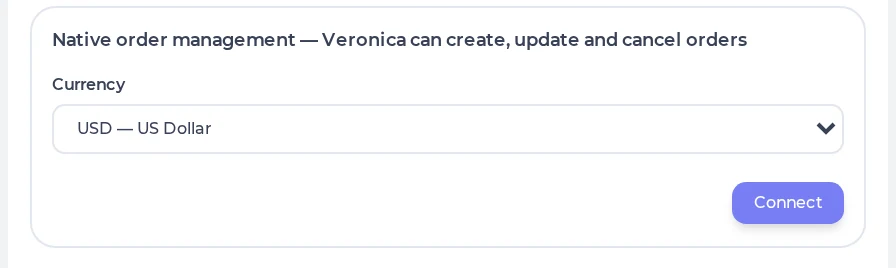
Switch on Orders
Choose the currency and the fields an order needs: items, quantity, delivery address, payment method.
- 3Integrations
Add a payment link (optional)
With Stripe connected, the assistant sends a checkout link for the order total and the order turns Paid by itself.
- 4Channels
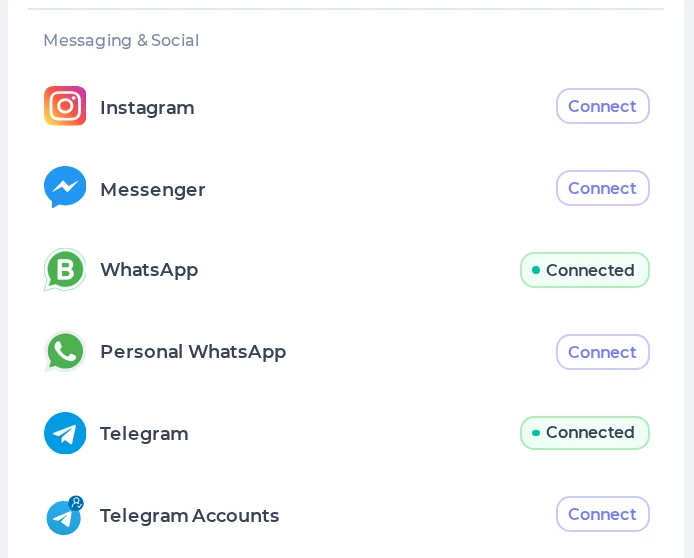
Connect where customers write
Instagram, WhatsApp, Messenger, Telegram or your website. Every order lands on one Orders page.
What the customer sees
The assistant asks only for what is missing, then confirms the order.
CustomerDo you have the Aurora dress in blue? Size M.
AssistantYes, blue in M is in stock, $59. Shall I place the order? I need a delivery address and how you would like to pay.
CustomerBerlin, Torstraße 12. Card.
AssistantOrder #1042 is created. Here is your payment link for $59.
✓Order #1042 · Pending payment

 Or say it in ChatGPT or Claude
Switch on orders for my assistant: collect items, quantity, delivery address and payment method, in euros.
39,000+ orders taken in chat
Across MyChatBot accounts, counted in September 2026.Questions owners ask
Does the customer have to leave the chat?
No. The assistant collects the order in the conversation. If you connect Stripe, it sends a payment link as a normal message.
Where do the orders go?
To the Orders page in MyChatBot, with status, payment and delivery details. Your team can also take over the chat at any point.
Can it take bookings instead of orders?
Yes. With a calendar connected, the assistant offers free slots and books the visit in the same way.
Take your first order in chat today
Set-up is free. Load your catalog, switch on Orders and test it privately before any customer sees it.