
How to
Answer every website form while the customer is still interested
A form request lands in your inbox and waits until the evening. By then the customer has filled in two more forms somewhere else. Let the assistant read each form email, write to the person right away and carry the conversation to a quote or a booking.
Website form · 14:02
Hi Anna, thanks for your request about floor sanding. How big is the room?
About 30 m².
That is €540. We can come on Tuesday at 9:00. Shall I book it?
Lead saved from the form
What it costs you today
The form sits in your inbox
The request came at 14:00, you saw it at 19:00. The customer wanted an answer at 14:05.
You call back, nobody picks up
A call from an unknown number often goes unanswered. A message can be read and answered when it suits them.
Leads live in emails
Names and phone numbers stay in notification emails, and nobody knows who has been answered and who has not.
The recipe
Four steps with the building blocks you already have in MyChatBot.
- 1Channels
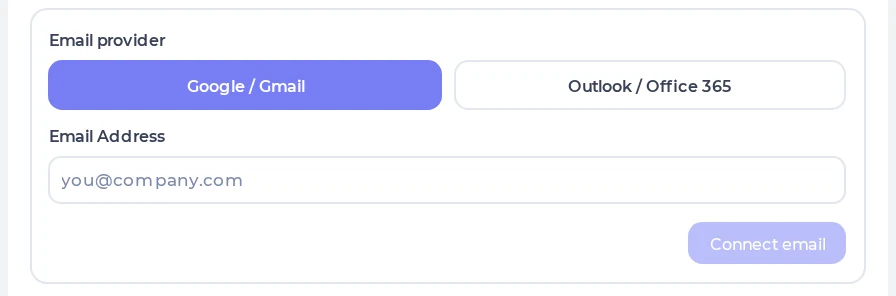
Connect the mailbox that gets your form emails
Connect the mailbox your website form sends its notifications to as an Email channel on your assistant.
- 2Channels
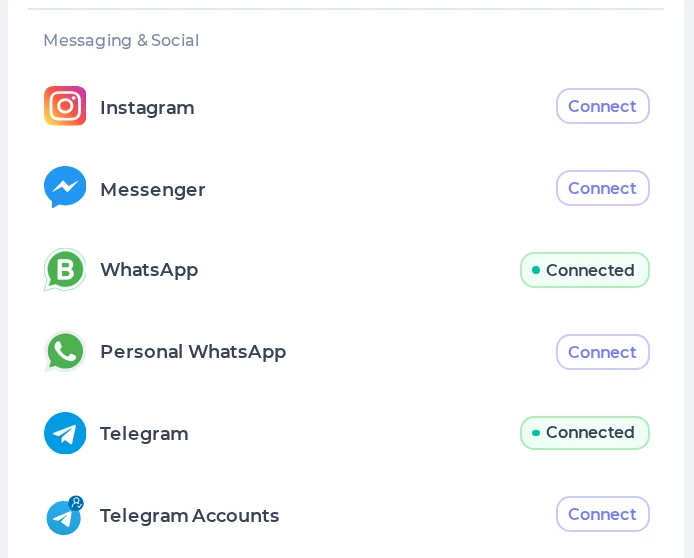
Connect a channel that can write first
Personal WhatsApp, a Telegram account, SMS or email can start a conversation with a new lead. Connect at least one to the assistant.
Channels for the first message
- 3Automations
Switch on Lead Form Instant Outreach
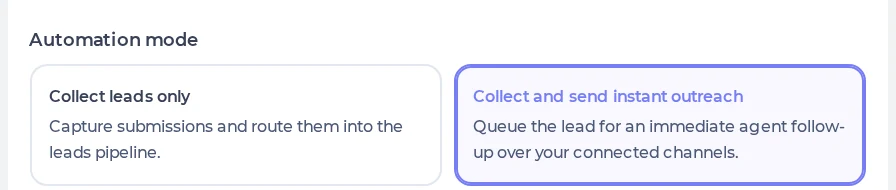
Enter the address your form notifications come from, choose Collect and send instant outreach, and tell the assistant how to open the conversation.
- 4Automations
Submit your own form
Fill in your form with your own phone number. The status card counts the lead as processed, and the first message arrives on the channel you chose.
What the customer sees
A message about what they asked for, and a conversation that ends in a quote.
✓Website form: Anna, floor sanding
AssistantHi Anna, thanks for your request about floor sanding. How big is the room, and is it parquet or boards?
CustomerAbout 30 m², oak parquet.
AssistantSanding and oiling 30 m² of parquet is €540. We have Tuesday at 9:00 or Thursday at 13:00. Which suits you better?
CustomerTuesday.
AssistantTuesday at 9:00 it is. See you then!
✓Lead saved · source: website form

 Or say it in ChatGPT or Claude
Open the Automations page so I can switch on Lead Form Instant Outreach, and give me the link to connect the mailbox my website form writes to.
YourCleanCouch: a form request, one question, a $209 quote and a booked visit
Upholstery cleaning in New York. A website form request becomes a conversation: the assistant asks one question, quotes $209 for a sectional and books the visit in the same conversation. 510 conversations since 29 April, 291 of them by text message.Questions owners ask
Does my form email need a special format?
No. There is no required template. The assistant picks the name, phone number and email address out of the notification text; clearly labelled lines such as “Phone: …” are read most reliably.
What if the form has no phone number?
A request with nothing the chosen channel can use, for example no phone number for WhatsApp, is skipped and no message is sent. Add email as a second channel, or make the phone field required on your form.
Can it only collect leads, without writing to anyone?
Yes. In Collect leads only mode each request is saved to your contacts and pipeline, and no message is sent. You can switch modes at any time.
Which channels can write first?
Personal WhatsApp, a Telegram account, SMS, email and phone calls can start a conversation with someone new. WhatsApp Business, Instagram and Messenger can only continue a chat the customer has already opened.
Answer the next form before you have even seen it
Set-up is free. Connect the mailbox, switch on the automation and submit your own form to watch the first message arrive.