
How to
Booked in the chat, while you are with a client
Booking by message means a string of “when are you free?” replies, usually while your hands are busy. Let the assistant offer the free slots from your calendar and book the visit in the same conversation.
Can I come for a manicure on Thursday after work?
Thursday with Anna: 17:30 or 18:45. Which one suits you?
18:45, please.
Done. See you on Thursday at 18:45.
Booked · Thu 18:45 · Anna
What it costs you today
“When are you free?” takes six messages
Thursday? Morning or evening? With whom? Each answer waits until you finish with the client in your chair.
The evening request waits until morning
People plan their week after work. By 9:00 some of them have booked where somebody answered.
One slot promised twice
A calendar kept in your head and in three chat apps ends in a double booking and an awkward call.
The recipe
Four steps with the building blocks you already have in MyChatBot.
- 1Integrations
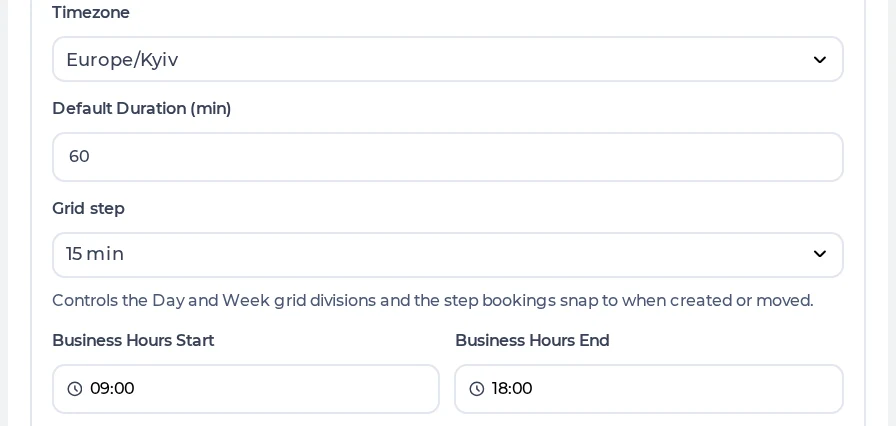
Switch on the Calendar
Set your time zone and business hours. The assistant quotes and books every time on your business clock.
- 2Integrations
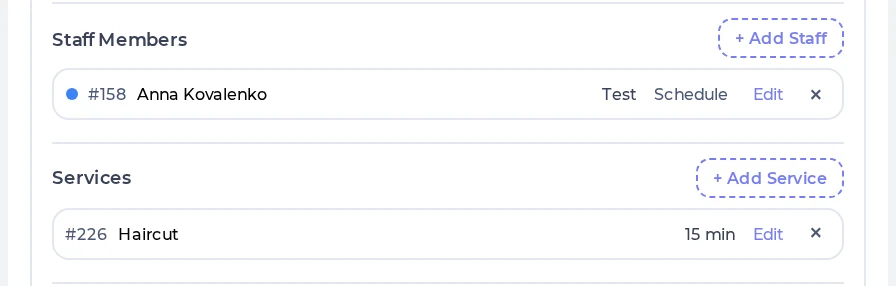
Add staff and services
Each service has a duration and a price, each person a working schedule. The assistant offers only the times that are really free.
- 3Integrations
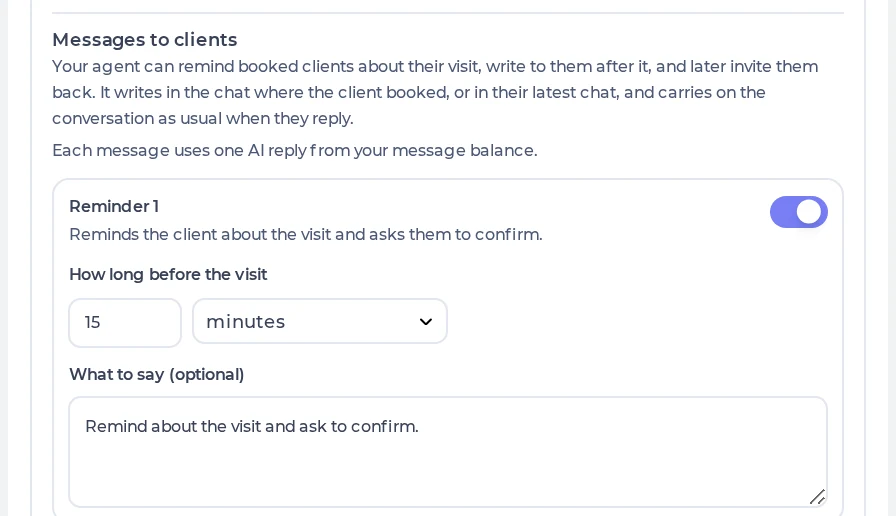
Switch on reminders (optional)
Up to two reminders before the visit, sent in the client’s chat. The client confirms or asks for another time.
- 4Channels
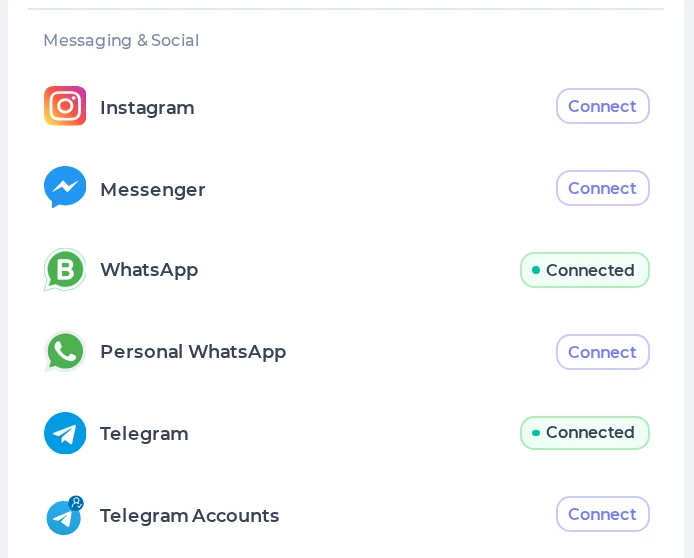
Connect where clients write
Instagram, WhatsApp, Messenger, Telegram or your website. Every booking lands on one Calendar page, with a link back to the chat.
What the customer sees
The assistant offers only free times, books the visit and moves it when the client asks.
CustomerHi! Do you have time for a haircut on Saturday?
AssistantYes. On Saturday Anna is free at 10:00, 11:30 and 14:00. A haircut takes 45 minutes and costs €35. Which time suits you?
Customer11:30, please.
AssistantYou are booked: a haircut with Anna, Saturday at 11:30.
✓Booked · Sat 11:30 · Anna
CustomerSorry, can we make it 14:00 instead?
AssistantMoved. See you on Saturday at 14:00.
✓Rescheduled · Sat 14:00 · Anna

 Or say it in ChatGPT or Claude
Give me the link to switch on the Calendar for my assistant, and tell me what to fill in so it can book visits.
Clinic of Beauty: 60% of conversations started outside 9:00–18:00 on weekdays
A permanent make-up studio in Belgium. 290 conversations since 15 October, across 4 channels.Questions owners ask
Can two clients get the same slot?
No. Before a visit is booked or moved, the calendar checks that time for that staff member. A taken slot is refused, and the assistant offers another time.
I already use Google Calendar. Can I keep it?
Yes. Connect Google Calendar instead: the assistant checks availability, books and cancels events there. Staff schedules, services and reminders come with the built-in Calendar, and an assistant uses one of the two.
Can the client move or cancel a visit?
Yes, by writing in the same chat. The assistant moves or cancels the booking and confirms it in the reply. If your team moves a booking on the calendar page, tell the client yourself: the calendar sends no message about the change.
Let the next booking make itself
Set-up is free. Switch on the Calendar, add your services and book a test visit from your own chat before clients do.