
Find new leads by saying one sentence
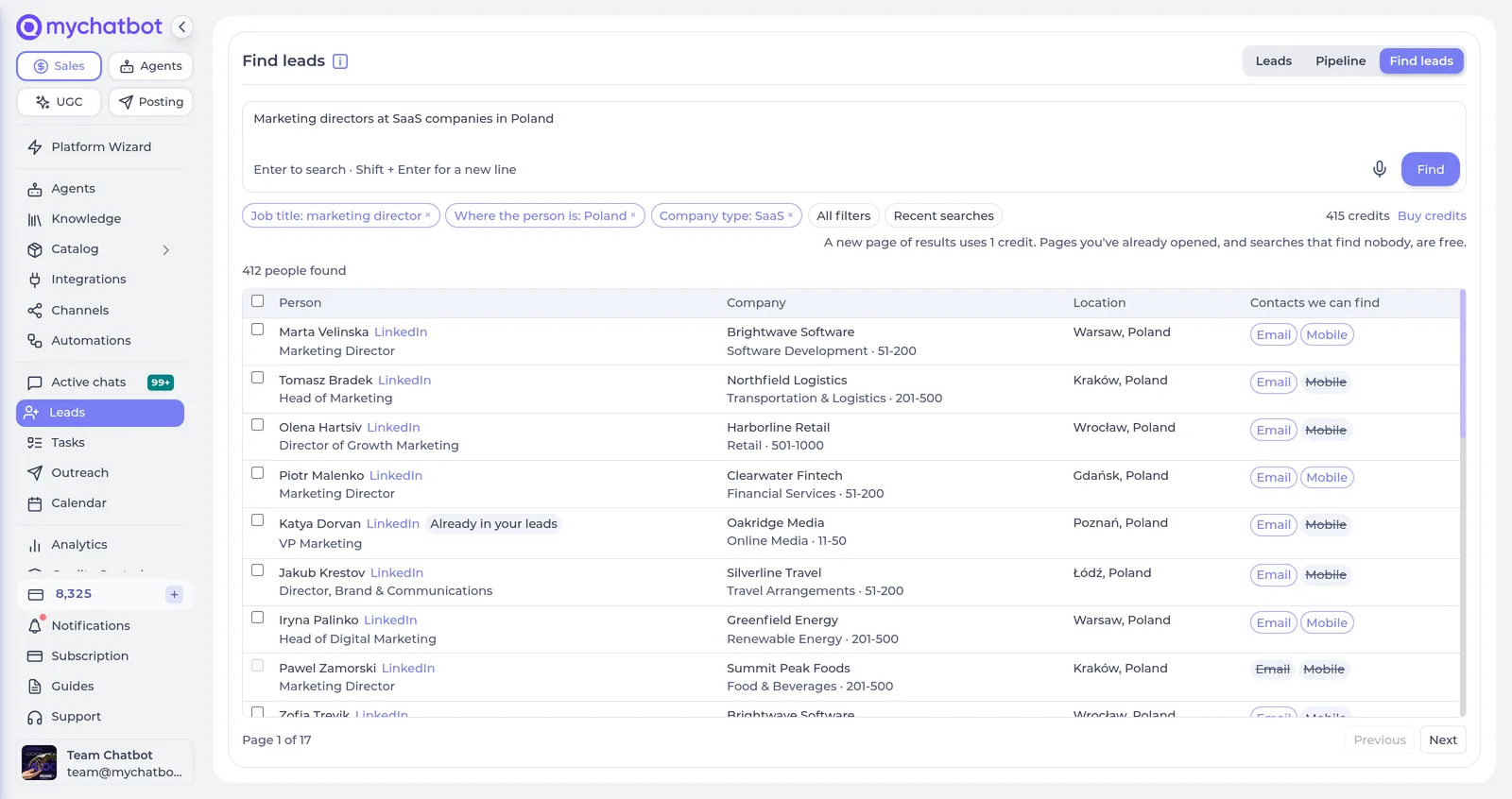
Describe the people you want to reach, by voice or typing. Find leads turns it into filters you can see and edit, shows who matches, and puts the ones you pick straight into your pipeline with a verified work email. No export, no import: the same CRM your campaigns and your assistant already work in.
How it works
Say who you want
“Marketing directors at SaaS companies in Poland.” Press the microphone or type it, in your own language.
Filters you can see and edit
Your words become chips: job title, where the person is, company type. Remove one, or open All filters — the person, the company, the contacts.
Pick the people
Every result shows name, title, company, location and which contacts we can find — email, mobile — before you pay. Tick people, a whole page, or the first N of the search.
They land in your pipeline
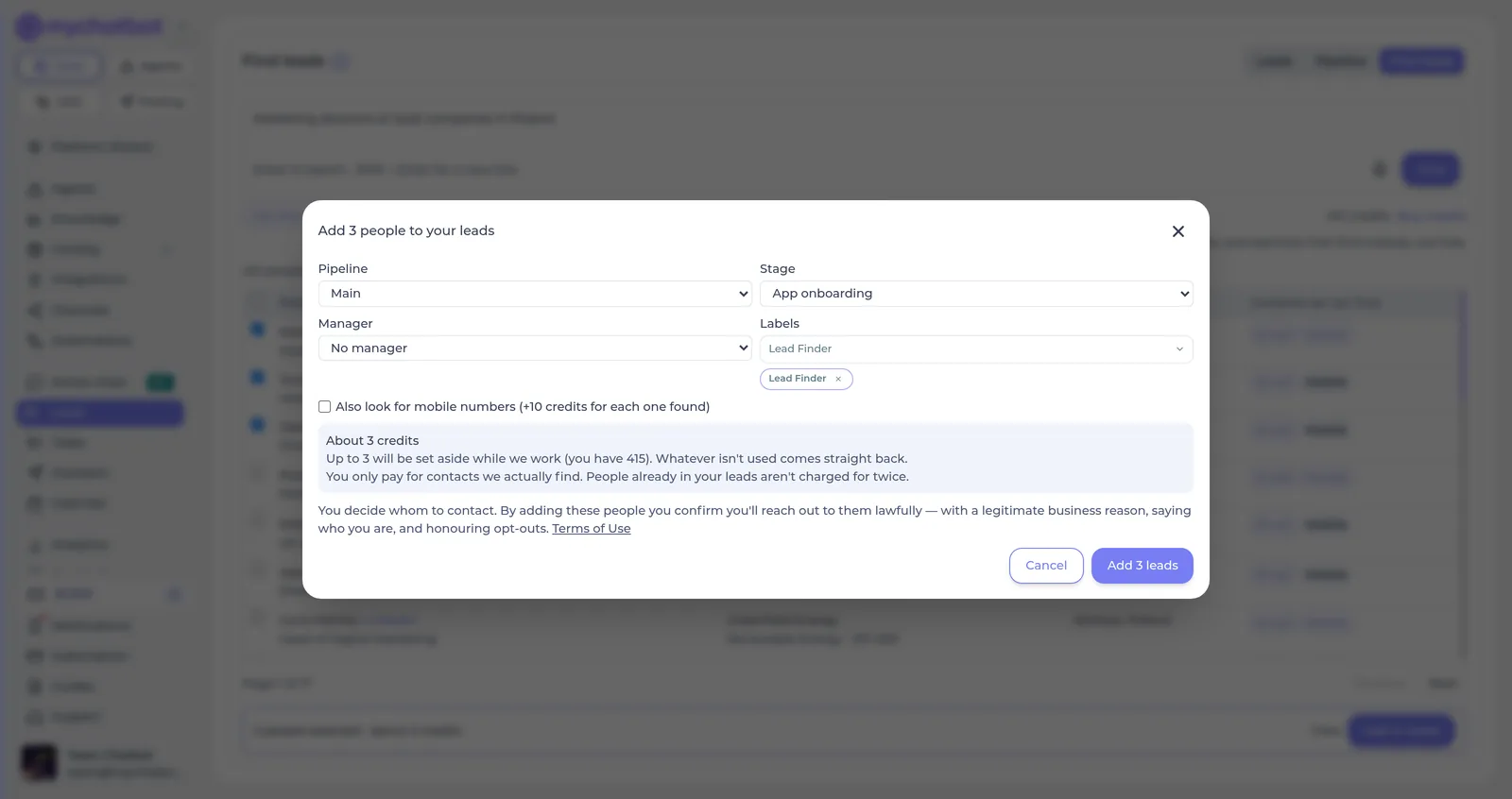
Choose the pipeline, stage, labels and manager. Verified emails are looked up and the leads are created. No chat is opened and nothing is sent until you decide.
Then reach out — from the same place
Email campaigns
Filter your leads by the batch label and send a personalised email from your own inbox. Your assistant reads and answers the replies.
Email campaignsCall campaigns
Ask for mobile numbers when adding, and a voice agent calls the list on your own number and talks to whoever picks up.
Call campaignsOrdinary leads
Job title, LinkedIn profile, location, company website, industry and size are on the client card, source “Lead Finder”. Everything else on the Leads page works as usual.
What a new lead looks likeWhat it costs
Searching and adding use lead credits — a prepaid balance of their own, separate from your message balance. Every Sales plan starts with 25 free credits.
| A new page of results (25 people) | 1 credit — pages you've already opened, and searches that find nobody, are free |
| A verified email found | 1 credit |
| A mobile number found (only if you ask for mobiles) | 10 credits |
| Nothing found for a person | 0 — nothing found, nothing charged; nobody is paid for twice |
| Credit packs | 250 for $10 · 1,000 for $40 · 5,000 for $175 |
The people you find have never heard from you. Reach out lawfully — with a legitimate business reason, saying who you are, and honouring opt-outs. The app reminds you at the moment of adding, and the Terms say the rest.
Terms of Service, 4(e-1)Find your first leads today
Find leads is included in every Sales plan, with 25 free credits to start. Describe who you want and see who matches in a minute.