
Every channel your customers already use
Connect a channel to your sales assistant and its conversations appear in one shared inbox, with the same knowledge, CRM and follow-ups behind every reply.
app.mychatbot.app/channels
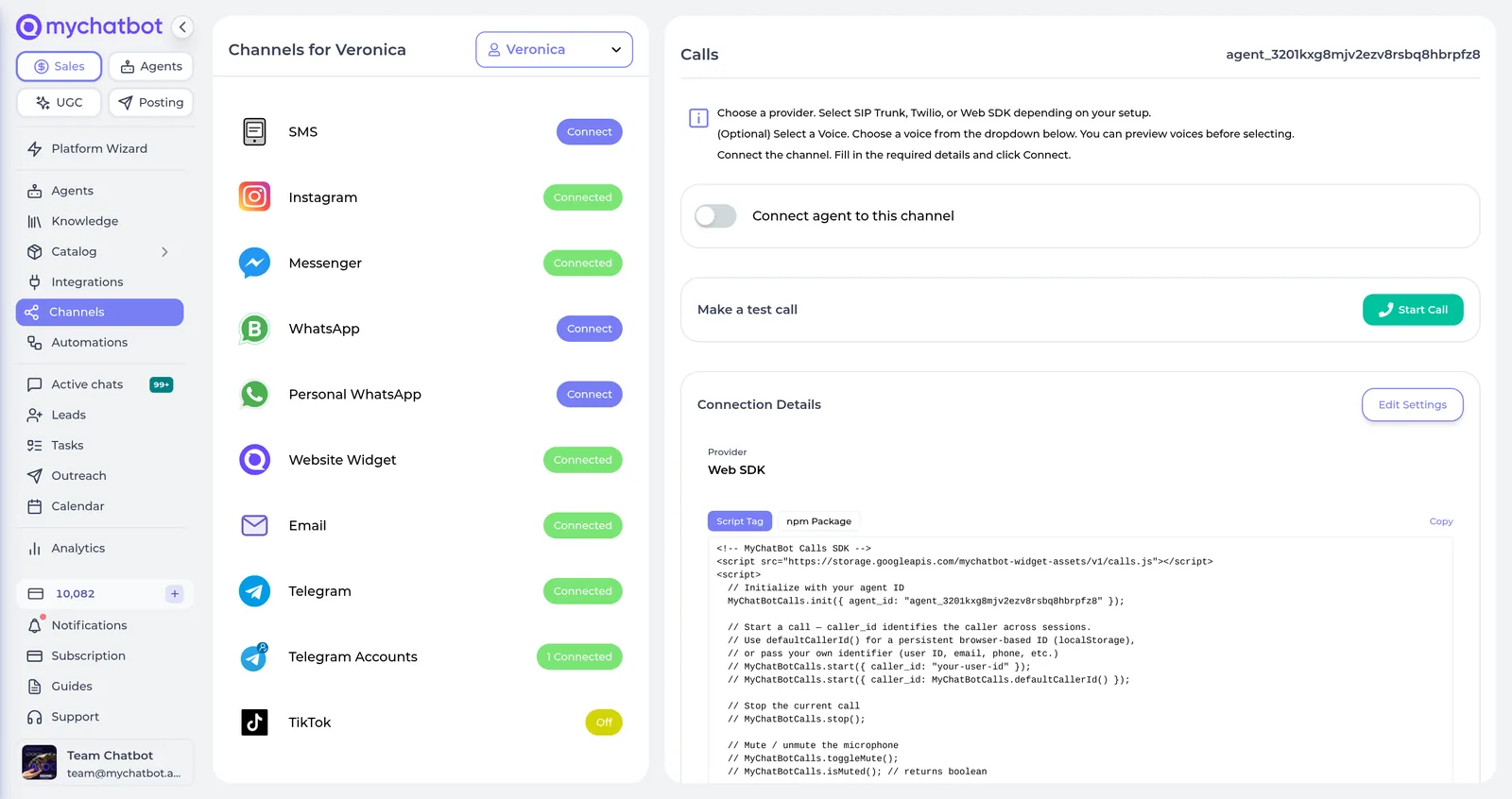
| Channel | Typical use | You need | |
|---|---|---|---|
| Website widget | Chat embedded on your site; the assistant replies | A site where you can paste the embed | Setup guide |
| Official WhatsApp Business or a linked personal number | A WhatsApp Business account or linked phone | Setup guide | |
| Telegram bot | A dedicated customer-facing bot | A BotFather token | Setup guide |
| Telegram account | Answer from an existing Telegram account | A Telegram account and linked-device authorization | Setup guide |
| DMs, comments, story reactions and product replies | An eligible Instagram account | Setup guide | |
| Facebook Messenger | Page messages and comment-to-DM flows | A Facebook Page | Setup guide |
| TikTok | Direct messages and comment replies | A TikTok account with messaging permissions | Setup guide |
| Gmail | A shared customer email inbox, attachments included | A Google account for the assistant | Setup guide |
| SMS | Two-way text on a business number | Twilio or OpenPhone with an SMS-capable number | Setup guide |
| Calls | AI voice on the phone or in the browser, inbound and outbound | SIP, Twilio, or the Web SDK | Setup guide |
| Webhooks API | Your own messaging system | An HTTPS reply endpoint and a generated token | Setup guide |
A different bot for your own agents
Customer conversations belong to the Sales Platform. An Agents Platform agent gets its own Telegram bot, so you can send it research, writing and operator tasks from your phone. Connect Telegram to an agent
Connect the first channel in minutes
Each channel has a step-by-step guide. Most take one token or one login.
Request received.We will email you a slot within one working day.