
How to
Sell on WhatsApp without answering every message yourself
Customers trust WhatsApp enough to ask before they buy, at any hour. Connect your WhatsApp Business number and the assistant answers from your catalog and prices, takes the order and passes the chat to you when a person is needed.
Do you deliver the 5 L olive oil tin?
Yes, €42, delivery tomorrow in Madrid. How many?
One. Calle Mayor 3.
Done. Your order is created.
Order #87 · €42
What it costs you today
Your phone never stops
Every question lands on the phone you use for everything else, and each one waits for you.
Night messages wait until morning
A question at 23:00 gets its answer at 9:00. By then the customer has asked someone else.
Orders arrive as loose messages
What, how many, where to: scattered across the chat and copied by hand into a spreadsheet.
The recipe
Four steps with the building blocks you already have in MyChatBot.
- 1Channels
Connect your WhatsApp Business number
Open Channels, choose your assistant and the WhatsApp channel, click Connect WhatsApp and follow Meta’s sign-up. A number already on the WhatsApp Business app keeps working in the app.
- 2Knowledge
Load what you sell
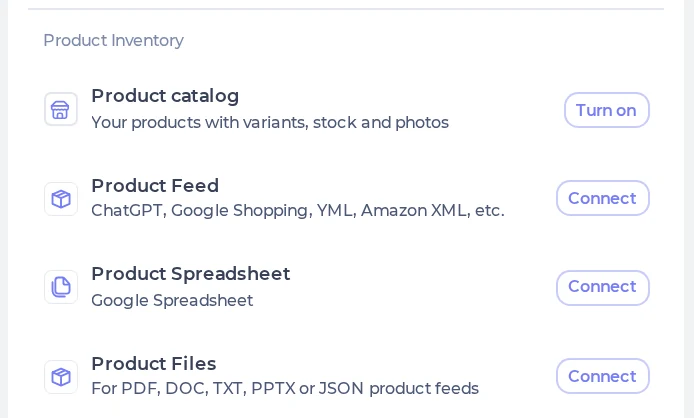
Connect a product feed, a spreadsheet or your Shopify store, so the assistant quotes real prices and stock.
- 3Integrations
Switch on Orders
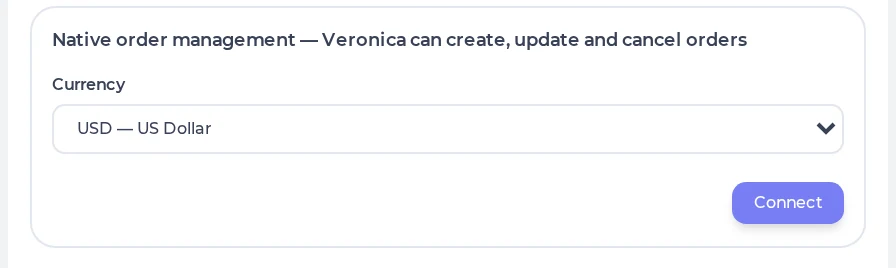
Choose the currency and the fields an order needs. Orders from this channel land on the same Orders page as every other channel.
- 4Channels
Add templates for messages you start
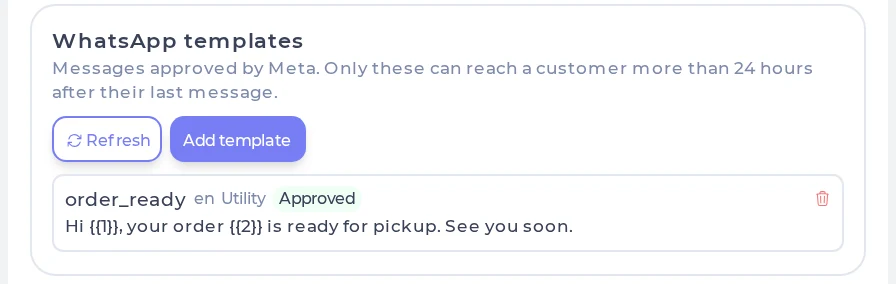
Order ready, appointment reminder, delivery update: start from a ready-made template and send it to Meta for review.
What the customer sees
The assistant asks only for what is missing, then confirms the order.
CustomerHello, do you deliver the 5 L olive oil tin to Madrid?
AssistantYes. The 5 L extra virgin tin is €42 and arrives tomorrow in Madrid. How many would you like, and what is the address?
CustomerOne. Calle Mayor 3.
AssistantOrder #87 is created: 1 × 5 L tin, €42.
✓Order #87 · 1 item · €42

 Or say it in ChatGPT or Claude
Give me the link to connect my WhatsApp Business number to my assistant.
Questions owners ask
Can I keep using the WhatsApp Business app on my phone?
Yes. A number that is already on the WhatsApp Business app can be connected and keeps working in the app, so you and the assistant see the same chats.
What about my personal WhatsApp number?
There is a separate Personal WhatsApp channel: you link the number by scanning a QR code, as you would a linked device. For a business we recommend the WhatsApp Business number.
Can I take over a chat myself?
Yes. Reply from the shared inbox and the assistant steps back in that chat until you hand it back.
Put your WhatsApp number to work today
Set-up is free. Connect the number and write to it from another phone before your customers do.