
How to
Sell on Instagram without living in Direct
Your posts bring the questions: price, size, delivery. Connect your Instagram business account and the assistant answers every Direct message, comment and story reply from your own catalog, then takes the order in the same chat.
Is the linen dress from your last post in M?
Yes, M is in stock, €79. Shall I put one aside for you?
Yes please. Lisbon, Rua Nova 14.
Done. Your order is created.
Order #412 · €79
What it costs you today
Direct fills up after every post
A reel does well and forty people ask the price. The ones who wait an hour buy somewhere else.
“Price?” under the post gets no answer
A comment is a buyer raising a hand in public. Left alone, it tells everyone else that nobody is there.
Orders live in screenshots
Size, colour, address: spread across a thread and copied by hand into a spreadsheet.
The recipe
Four steps with the building blocks you already have in MyChatBot.
- 1Channels
Connect your Instagram account
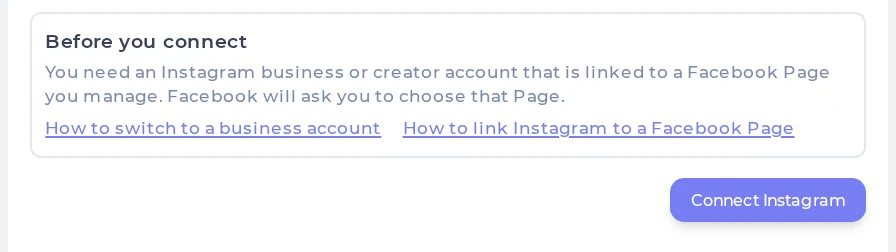
Open Channels, choose your assistant and the Instagram channel, click Connect Instagram and approve the request from Meta. The account switches on by itself.
- 2Knowledge
Load what you sell
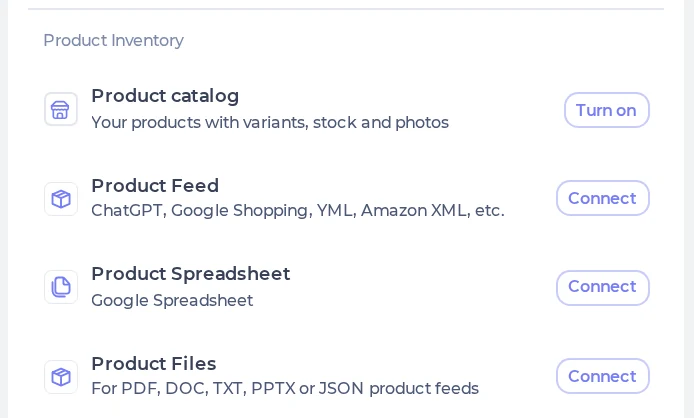
Connect a product feed, a spreadsheet or your Shopify store, so the assistant quotes real prices and stock.
- 3Channels
Decide how comments are answered
Choose a fixed line or a reply written for each comment, and have the assistant continue with the person in private messages.
- 4Integrations
Switch on Orders
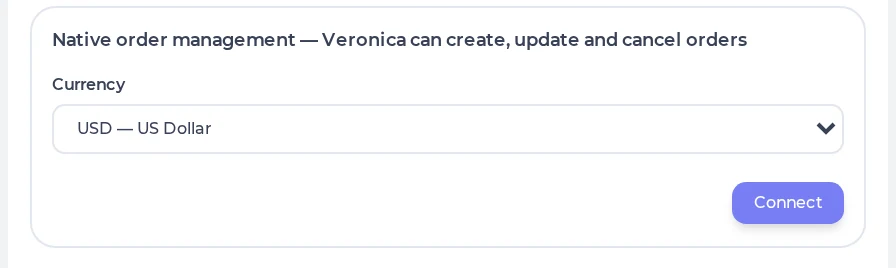
Choose the currency and the fields an order needs. Orders from this channel land on the same Orders page as every other channel.
What the customer sees
The assistant asks only for what is missing, then confirms the order.
CustomerHi! Is the linen dress from your last post available in M?
AssistantYes, the Alma linen dress in M is in stock, €79. Would you like it delivered, and where to?
CustomerYes. Lisbon, Rua Nova 14.
AssistantOrder #412 is created: Alma linen dress, M, €79.
✓Order #412 · 1 item · €79

 Or say it in ChatGPT or Claude
Give me the link to connect my Instagram account to my assistant, and set it to answer comments and continue in Direct.
Questions owners ask
Do I need a business account?
Yes. Meta allows this only on a professional Instagram account. Switching is free in the Instagram app.
Will it answer comments too?
Yes. It can reply under the post with a fixed line or with a reply written for that comment, and then continue with the person in Direct. You can switch comment replies off.
Can I take over a chat myself?
Yes. Reply from the shared inbox and the assistant steps back in that chat until you hand it back.
Turn your Instagram into a shop that answers
Set-up is free. Connect the account and write to it from another profile before your customers do.